You have a 12-person team. Three PMs, four developers, five QA engineers. The QA team files bugs every day. The PMs file one a month. Jam.dev charges all twelve of them the same rate. At $14/seat/month on the Team plan, that's $168/month whether your PMs file one bug or fifty.
PlayLog charges for sessions, not seats. If your five QA engineers file 150 sessions a month and nobody else touches it, you pay for those 150 sessions - not for twelve people. That's the pricing difference. But there's a second difference that matters more for teams using AI coding tools. Here's the full comparison.
#At a glance
| Jam.dev | PlayLog Free | PlayLog Pro | PlayLog Team | |
|---|---|---|---|---|
| Monthly price | $14/creator/mo | $0 | $24/mo or $19/mo annual | $59/mo or $49/mo annual |
| Sessions/month | Unlimited | 20 | 200 | 1,000 |
| Console logs | ✓ | ✓ | ✓ | ✓ |
| Network requests | ✓ | ✓ | ✓ | ✓ |
| Session replay | ✓ | ✓ | ✓ | ✓ |
| AI-ready markdown | ✗ | ✓ | ✓ | ✓ |
| SDK required | Optional | No | No | No |
| Team pricing cap | 15 creators | — | No cap | No cap |
| Add-on sessions | N/A | N/A | $0.10/session | $0.05/session |
| Integrations | Jira, Linear, Slack... | Jira, Linear, Slack, GitHub, GitLab, ClickUp, Notion, Azure DevOps, Asana | same | same |
#How PlayLog captures a bug
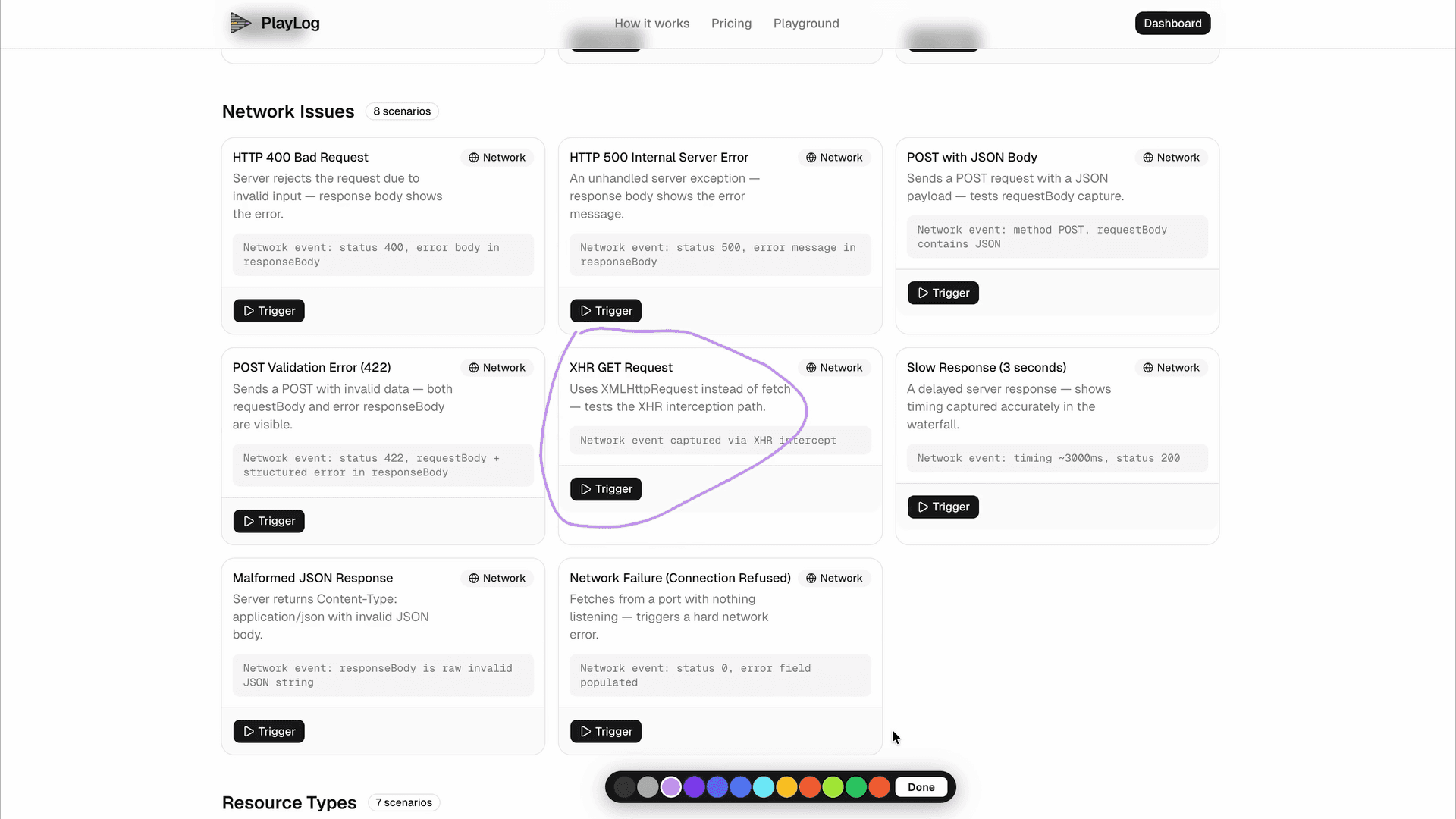
Watch how a QA engineer records a session, then copies the full AI-ready report in one click - no writing, no formatting, no back-and-forth.
#Where it actually matters
Per seat. The Team plan charges $14/creator/month for everyone who needs access - whether they file one bug a month or fifty.
A 10-person team with 3 active reporters still costs $140/month. A 20-person team costs $280/month. Pricing scales with headcount, not usage.
Team plan caps at 15 creators. After that, you're on Enterprise.
Per session. $19/month (annual) or $24/month for 200 sessions, regardless of how many people have access.
A 20-person team where only 5 people file bugs pays the same as a 3-person team with the same usage. If you exceed 200 sessions, add more at $0.10/session (min 50 at a time).
No team size cap. No per-seat math.
A shareable replay link. The developer opens it, watches the recording, reads the console logs, then manually describes the context to their AI coding tool.
Jam's AI Debugger autofills the bug title and reproduction steps when you create a report - useful for faster ticket creation, but the output is a human-readable ticket, not a prompt.
Structured markdown. One button copies user actions with timestamps, console errors with stack traces, failing network requests with payloads, and full environment info - formatted for Cursor, Claude, or Copilot.
Your developer pastes it in, says "fix this", and the AI has everything it needs. No reformatting. No translation step between the bug and the fix.
Chrome extension, no SDK required for core capture. An optional SDK unlocks custom metadata and user identification.
The extension installs and works immediately on any site. If you want richer metadata in reports, you'll need an engineering ticket to add the SDK.
Chrome extension only. Install and record your first bug in under 60 seconds - no SDK, no script tag, no engineering involvement.
Works on staging, production, third-party tools, and any website immediately. If the site loads in Chrome, PlayLog captures it.
Mature integrations with Jira (two-way sync), Linear, GitHub, Slack, Notion, Intercom, and more - all working and battle-tested.
Jira, Linear, GitHub, GitLab, Slack, ClickUp, Notion, Azure DevOps, and Asana — all available now. Connect any of them in Settings → Integrations in under a minute, no SDK required.
PlayLog matches Jam's integration list and adds GitLab, ClickUp, Azure DevOps, and Asana.
#What PlayLog captures
Every bug report includes the full technical context your developer needs - without writing a word.
#User action timeline
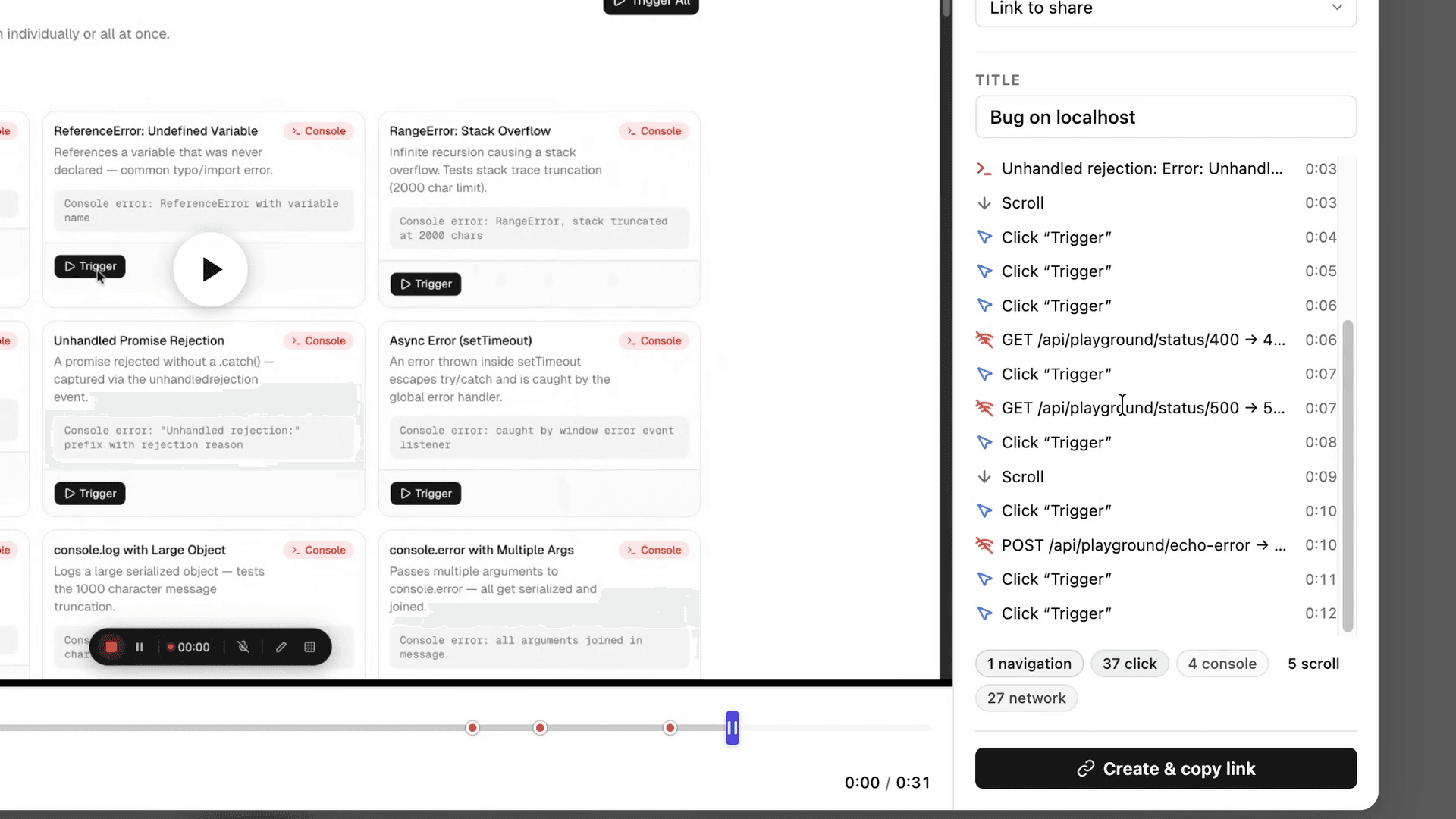
Every click, scroll, and input is recorded with timestamps. Your developer sees exactly what the user did, in order, before the bug appeared.
#Console errors
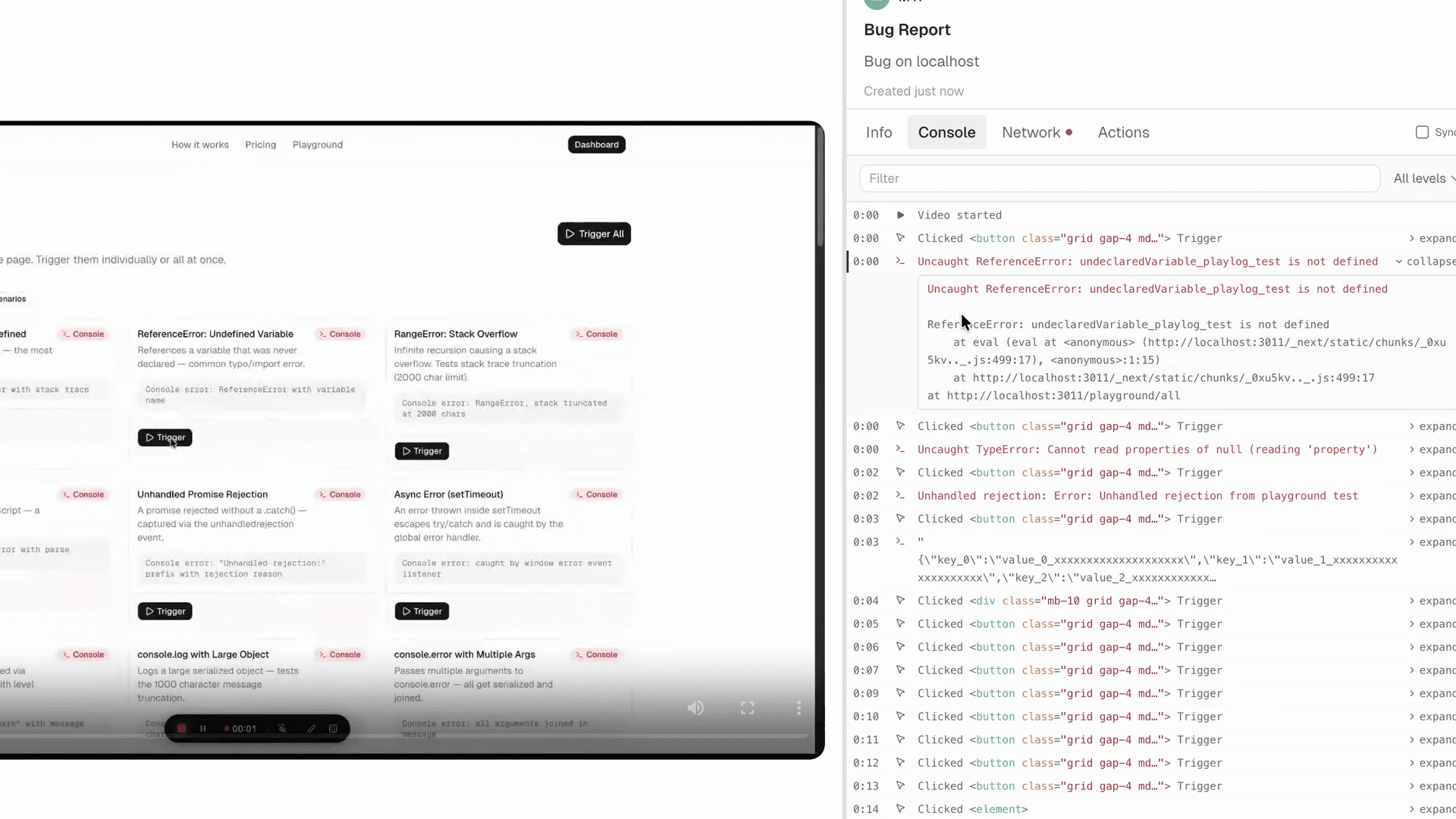
Every error, warning, and log that fired during the session. Stack traces included. No copy-pasting from DevTools.
#Network requests
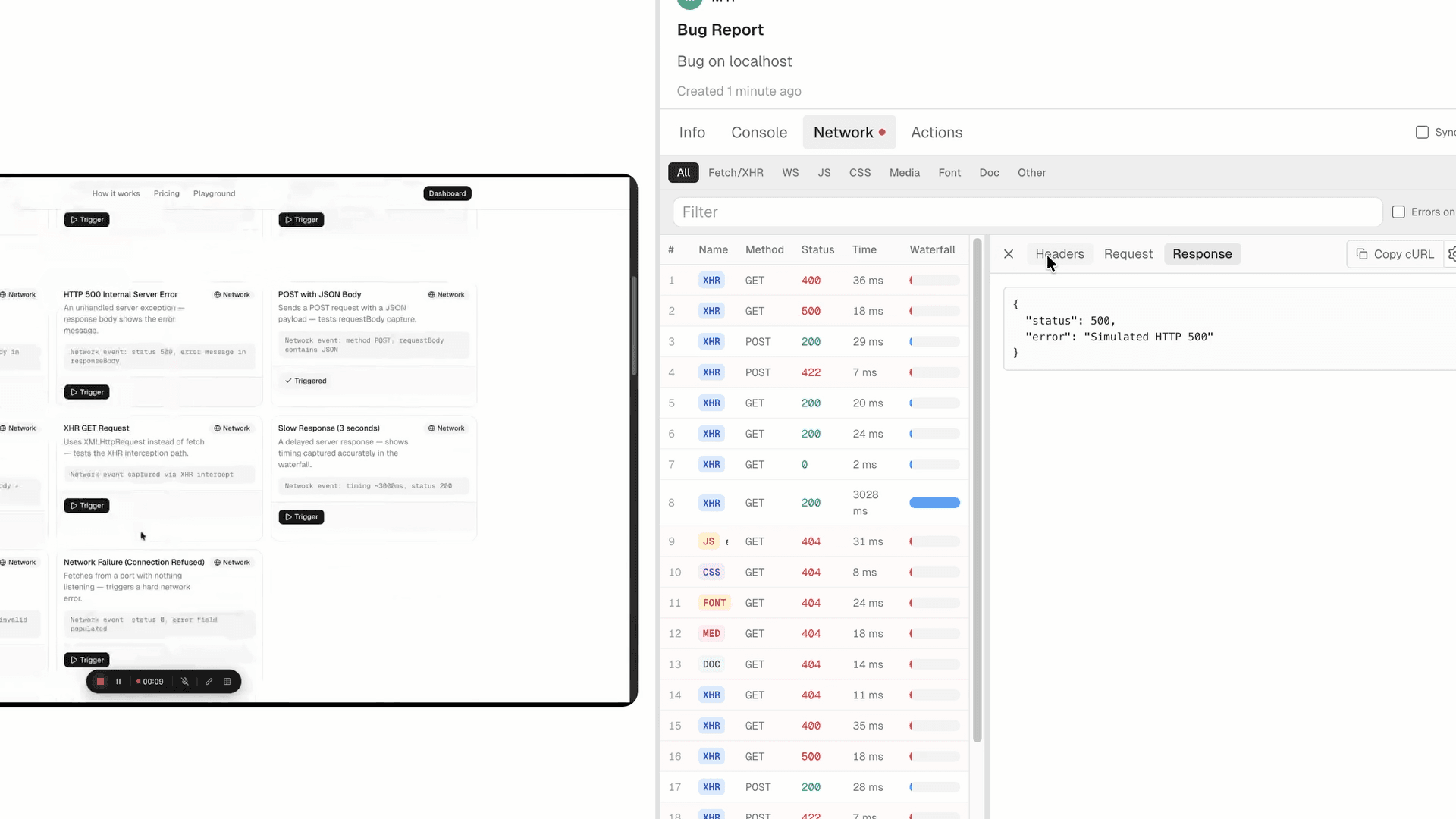
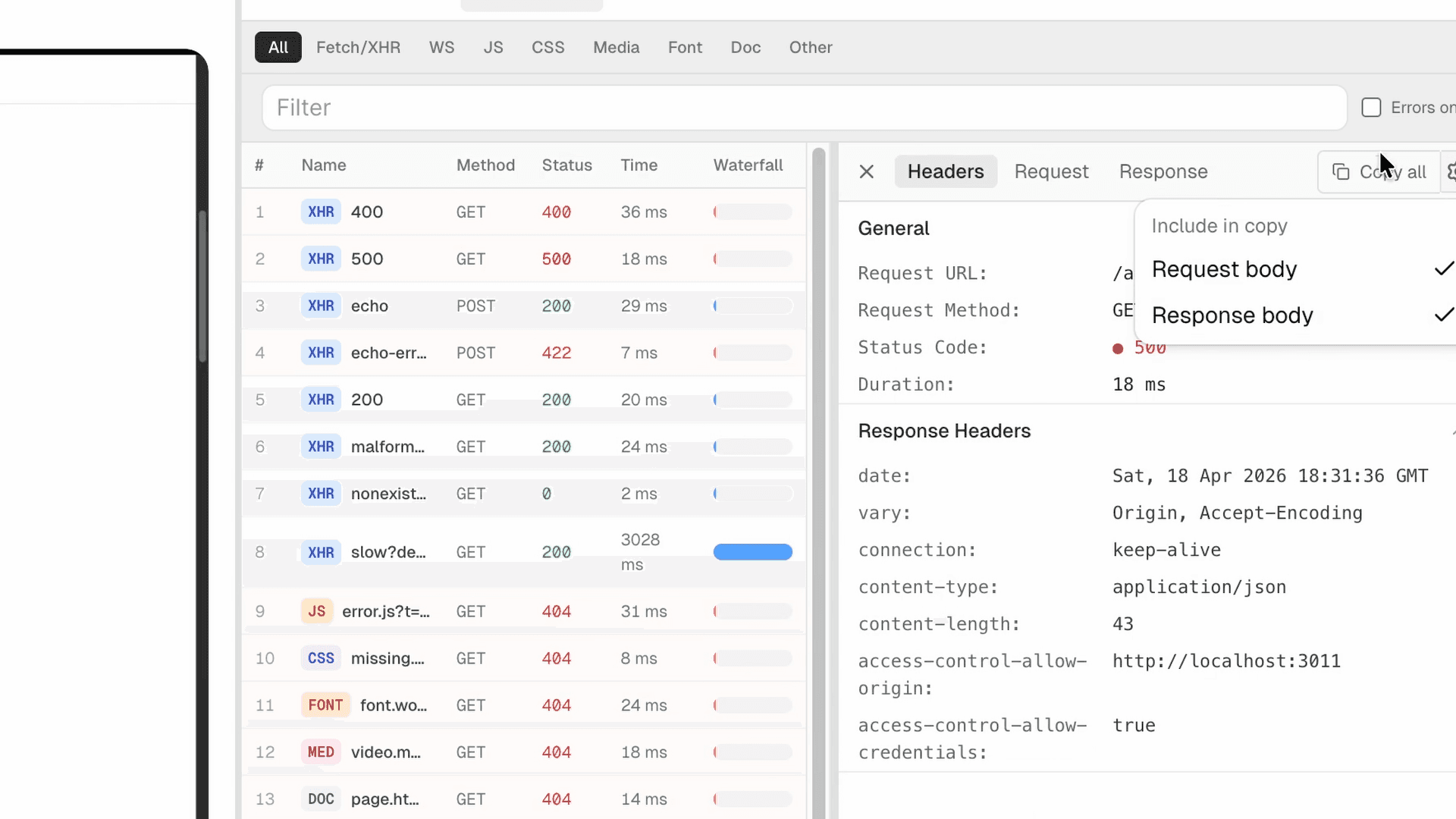
Every API call made during the session - status codes, headers, request and response payloads. One click copies the request as a curl command.
#AI-ready report
One button copies everything - the full session context as structured markdown ready to paste into your AI tool.
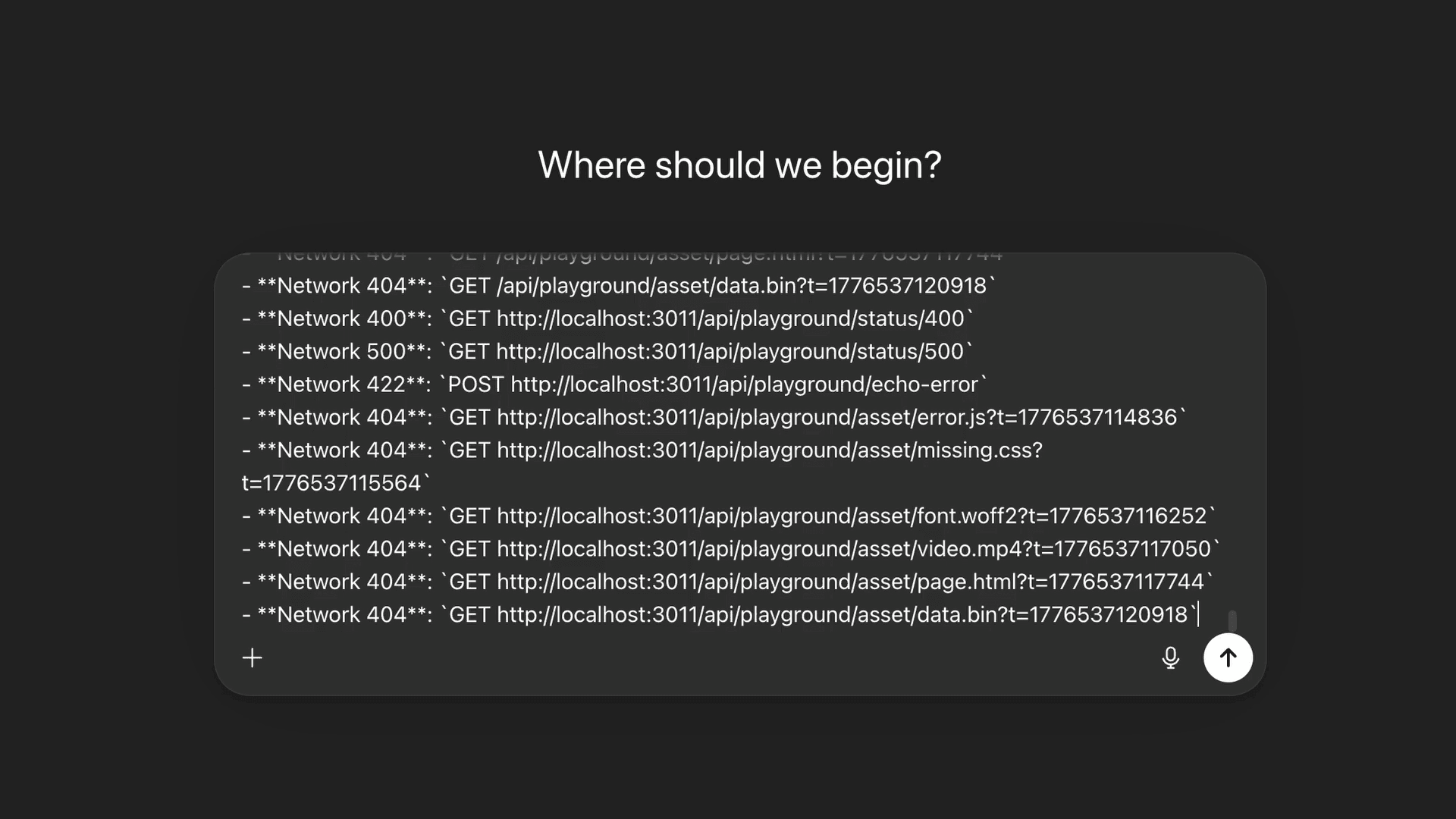
The markdown output includes: numbered user action timeline, all console errors with stack traces, every network request that fired (method, URL, status, response payload), and environment data (OS, browser version, window size). Your AI coding tool has the same context a developer would have sitting next to the person who found the bug.
#Where Jam.dev wins
This section matters. Switching tools because of marketing copy you read on a comparison page is a waste of time. Here's when Jam.dev is actually the better choice.
Small teams where everyone files bugs. Five developers who all file bugs daily - $14/seat is $70/month. PlayLog Pro at $24/month (monthly) or $19/month (annual) is cheaper with the same integration coverage.
Enterprise track record. Jam.dev has 200,000+ Chrome users and years of scale behind it. PlayLog is newer. If you're at a company where "battle-tested" matters for a procurement decision, Jam.dev wins that argument today.
The 5-minute free tier limit isn't a paid plan limitation. Jam.dev's free tier caps recordings at 5 minutes. Once you're on a paid plan, recordings are unlimited. Don't evaluate the tool based on the free tier constraint.
#Pricing math at every team size
| Team size | Who actually files bugs | Jam.dev (Team) | PlayLog Pro (annual) | PlayLog Team (annual) |
|---|---|---|---|---|
| 3 people | 3 | $42/mo | $19/mo | — |
| 5 people | 3 active | $70/mo | $19/mo | — |
| 10 people | 4 active | $140/mo | $19/mo | — |
| 20 people | 6 active | $280/mo | $19/mo | $49/mo |
| 30 people | 8 active | Enterprise | $19/mo | $49/mo |
About add-on sessions: If your team exceeds 200 sessions on Pro, you can add more at $0.10/session (minimum 50 sessions, maximum 500 at a time). Team plan adds sessions at $0.05/session. Sessions reset on the 1st of each month - unused sessions don't carry over.
#Switch from Jam.dev in 3 steps
Install the PlayLog Chrome extension
Takes about 30 seconds. No SDK. No engineering ticket. No config file. Open the Chrome Web Store, click Add to Chrome, and it's ready on every tab immediately.
Record your first bug
Click the PlayLog extension icon, hit Record, reproduce the bug, hit Stop. The session is saved with user actions, console logs, and network requests captured automatically.
Copy the AI-ready report
Click "Copy AI report". Everything - the full session context formatted as structured markdown - is now on your clipboard. Paste it into Cursor, Claude, or your bug tracker. Your developer has everything they need.
#FAQ
Does switching from Jam.dev to PlayLog require any setup or engineering work?
No. PlayLog is a Chrome extension with no SDK or script tag required. Install it in 30 seconds and it works on any website immediately. If you were using Jam.dev's optional SDK for custom metadata, you'll lose that metadata when switching - but the core capture (console logs, network requests, session replay, user actions) works without any server-side changes.
What happens to my existing Jam.dev sessions if I switch?
Jam.dev sessions are stored as shareable links in their platform. There's no bulk export into a PlayLog-compatible format. Keep your Jam.dev account active for historical records - you can let it lapse once you're comfortable the old bugs are resolved or documented elsewhere.
Does PlayLog have a Jira or Linear integration?
Yes — PlayLog ships integrations with Jira, Linear, GitHub, GitLab, Slack, ClickUp, Notion, Azure DevOps, and Asana. Connect any of them in Settings → Integrations. No SDK or engineering work required.
What happens when I hit the 200-session limit on Pro?
You can add sessions on demand at $0.10/session (minimum 50 at a time, max 500). Or upgrade to the Team plan for 1,000 sessions/month at $49/month annual. Sessions reset on the 1st of each month - unused sessions don't roll over.
Is PlayLog only useful for teams using Cursor or Claude?
No - the session replay and log capture work for any bug reporting workflow. The AI-ready markdown output is an extra step that helps teams using AI coding tools, but you can also share the session link directly with a developer who reviews it manually, same as Jam.dev.
#The bottom line
If your team uses Cursor, Claude, or Copilot to fix bugs, the report format is part of the fix pipeline. Jam.dev produces a replay your developer watches. PlayLog produces a prompt your developer pastes. For teams where the fix happens in an AI tool, that's the workflow difference.
If your team has more people with access than people who actively file bugs, PlayLog's per-session pricing is worth switching for.